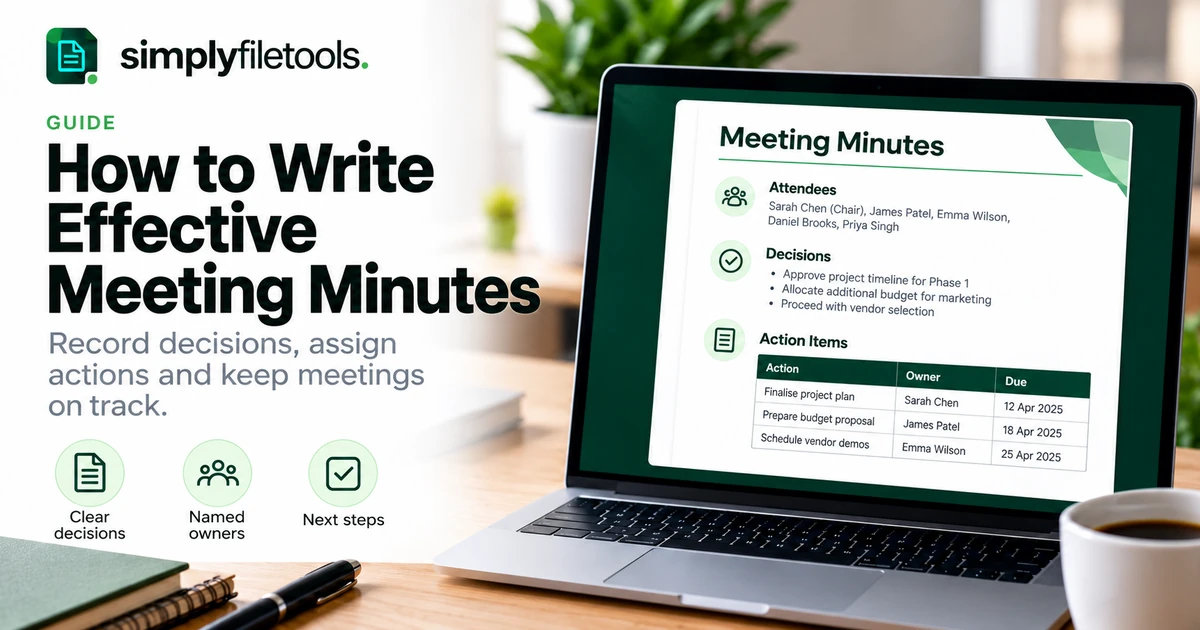
Effective meeting minutes explain what was decided, who will do what and when the work is due. They give people a reliable record to return to after the conversation ends, without making them read a transcript of everything that was said.
For an ordinary team or client meeting, start with the meeting details, summarise each agenda item, record decisions separately from discussion and finish with a clear action list. This guide shows you how to prepare, take useful notes and turn them into minutes, with a worked example and a structure you can reuse.
What are meeting minutes?
Meeting minutes are a written record of a meeting's business and outcomes. Despite the name, you do not need to document every minute of the conversation. Readers should be able to understand the purpose of the meeting, the decisions reached and the work that follows.
Rough notes are your working material. Minutes are the reviewed record that you share. An action list is one part of that record: it tracks tasks, while the minutes also explain decisions and any important conditions attached to them.
The approach below suits routine business meetings. Boards, committees and other formal bodies may have their own rules for attendance, resolutions, voting, approval and retention. Use the organisation's required procedure for those meetings.
What should meeting minutes include?
Keep the same core fields each time so readers know where to look. You can add sections for your team, but avoid collecting details that serve no useful purpose.
| Section | What to record | Example |
|---|---|---|
| Meeting details | Purpose, date, time and location or online format | Website launch review, 12 November 2026, 10:00–10:30 |
| Participants | Attendees, chair and person taking minutes | Chair: Alex; minutes: Priya |
| Agenda items | A concise summary of the relevant issue | Review of remaining launch checks |
| Decisions | What was agreed, including conditions | Launch remains conditional on completing checkout testing |
| Actions | Task, named owner and due date | Sam to send the test results by 16 November |
| Open questions | What remains unresolved and how it will be followed up | Support cover to be confirmed at the next review |
| Next meeting | Agreed date or arrangements still to be confirmed | 17 November, 10:00; invitation to follow |
For sensitive meetings, agree who should receive the record and where it should be stored. Do not add personal information simply because it came up in conversation.
Step 1: prepare your structure before the meeting
Ask for the agenda and the purpose of the meeting. A decision meeting needs a clear record of the outcome; a progress meeting may focus more on blockers and follow-up work. Preparation helps you recognise which details matter.
- Create a document with the meeting title, date and participant fields.
- Copy each agenda heading into the document.
- Under each heading, leave space for discussion, decisions and actions.
- Add a separate action table with columns for task, owner and due date.
- Check how the chair wants the draft reviewed and distributed.
If you need a starting point for the document's appearance, browse the SimplyFileTools document templates. Choose a layout appropriate to the material and check what each template offers. You can also use the structure in this guide in your usual editor.
Step 2: take notes around outcomes
During the meeting, follow the agenda rather than trying to write down every sentence. Capture the issue, the outcome and enough context to make the outcome understandable later. Short working notes are fine if you can reliably expand them afterwards.
For example, “launch discussed” tells a reader very little. A more useful note is: “Team agreed to keep the planned launch date, provided checkout testing is complete. Sam to report results on Monday.” It records both the decision and its condition.
Use temporary labels such as Decision, Action and Open question while taking notes. These make it easier to separate outcomes when you prepare the draft. If you miss a detail, mark it for checking instead of filling the gap from memory.
Attribute comments when the speaker's identity matters, such as a task commitment or a requested correction. Avoid turning a routine summary into a running account of who said every sentence.
Step 3: confirm decisions and actions before moving on
Briefly repeat important outcomes to the chair or group. A clarification during the meeting is usually easier than resolving conflicting recollections afterwards.
- Decision: “Are we agreeing to option B, subject to the revised cost?”
- Owner: “Who will send the updated proposal?”
- Deadline: “Does Friday mean 20 November?”
- Completion: “What should be delivered for this action to be complete?”
Give each action a clear deliverable and, where appropriate, one accountable owner. Other people can contribute, but “everyone” makes follow-up difficult. If nobody accepts ownership, record that the owner is unconfirmed and ask the chair to resolve it.
Write deadlines as dates rather than “next week” or “soon”. Add a time and time zone where they affect delivery. If a deadline has not been agreed, write “to be agreed”; do not invent one to make the table look complete.
Step 4: write a clear, neutral draft
Prepare the draft while your notes are still fresh. Use concise sentences, consistent names and descriptive headings. Expand abbreviations that readers outside the meeting may not understand.
Keep the wording factual. “The team reviewed two supplier quotes and selected quote B” is clearer than “Everyone loved the second supplier”. If the discussion ended without agreement, say so. A proposal is not a decision until the meeting has actually agreed it.
Preserve meaningful conditions and uncertainty. “Budget approved” is inaccurate if the agreement was “budget approved subject to the client's confirmation”. Check figures against the material used in the meeting, and identify anything still awaiting verification.
For longer minutes, use real heading styles in your editor and a consistent table layout. Our guide to formatting a professional report explains useful principles for headings, spacing and readable tables.
Worked example: minutes for a website launch review
The following is a fictional example. It demonstrates the amount of detail a short operational meeting might need; adapt the fields to your organisation.
Meeting details
Meeting: Website launch review
Date: 12 November 2026, 10:00–10:30
Format: Online
Attendees: Alex, Priya and Sam
Chair: Alex
Minutes prepared by: Priya
Status: Draft for review
1. Launch readiness
The team reviewed the remaining checkout tests and support arrangements. Checkout testing was incomplete, so the final launch decision could not be confirmed.
Decision: Retain 18 November as the target launch date, conditional on satisfactory checkout test results and confirmed support cover. Review both conditions on 17 November.
2. Customer communication
The announcement draft needs to reflect the final launch decision. The team agreed to prepare the draft now and hold distribution until the launch is confirmed.
Action log
| ID | Action | Owner | Due date |
|---|---|---|---|
| A1 | Complete checkout tests and share results with the review group | Sam | 16 November 2026 |
| A2 | Confirm support cover for launch day | Alex | 16 November 2026 |
| A3 | Prepare the announcement draft for review; do not distribute | Priya | 17 November 2026 |
Open question: Whether the launch conditions can be met by the target date.
Next meeting: 17 November 2026 at 10:00, online.
A reusable meeting minutes structure
Copy these headings into your editor, then remove any fields that are not relevant. Keep decisions and actions visible even when the discussion summary is short.
- Meeting title and purpose
- Date, time and location
- Attendees, chair and minute-taker
- Document status: draft, reviewed or approved, as appropriate
- Agenda item: brief context, decision and related action
- Action log: reference, deliverable, owner and due date
- Open questions and follow-up
- Next meeting
Store a blank master separately from completed records. Give each meeting its own file, such as 2026-11-12-website-launch-minutes-draft.docx. Follow your team's naming convention and use an approval label only when approval has actually happened.
Step 5: review, share and follow up
- Compare the draft with your notes, agenda and any documents referenced.
- Check decisions, names, amounts, owners and deadlines.
- Ask the designated reviewer to resolve unclear points.
- Share the reviewed version with the intended recipients, using the agreed process.
- Transfer actions to the team's usual tracking system if needed, keeping references consistent.
- At the next meeting, review outstanding actions and record any agreed changes.
Keep a clear version history when corrections are made. If an action deadline changes later, update the action tracker and record the new agreement through your team's process. Avoid silently rewriting the historical record to suggest the new date was agreed originally.
Common problems and how to fix them
The minutes are too long
Remove repeated discussion and conversational detail. Keep the outcome, its important reasons or conditions, and the next step. Do not shorten the record so far that readers lose the meaning of a decision.
People disagree about what was decided
Mark the disputed point for clarification and refer it to the chair or agreed reviewer. Do not choose a convenient interpretation. Use the review process to establish the wording before treating the record as final.
The notes are in a photograph or an old document
Text extraction can save retyping, but check the result carefully. For photographed notes, see how to extract text from an image. Handwriting quality can affect recognition, so manually verify names and deadlines. For an existing DOCX, our Word to plain text guide explains how to recover reusable text and what formatting may be lost.
The action table looks wrong after copying
Check every task against its owner and date. If the destination does not preserve tables, write each action as a separate labelled paragraph. A tidy appearance is less important than keeping the relationships accurate.
Frequently asked questions
Should meeting minutes include everything said?
Routine business minutes usually summarise relevant business and outcomes. A transcript serves a different purpose. Follow any specific requirements for the meeting you are recording.
How detailed should meeting minutes be?
Include enough context for the intended reader to understand each decision and follow-up task. A short check-in may need a brief record; a complex decision may need more explanation.
Who should take the minutes?
Agree this before the meeting. The person needs enough context to understand the discussion and an opportunity to clarify outcomes. For a busy meeting, separating chairing and note-taking can help.
When should minutes be sent?
Prepare them promptly and use the team's agreed review timetable. If urgent actions need to begin before the minutes are final, confirm those actions separately and label the draft accurately.
Can I use a recording or AI summary?
Follow your organisation's recording, privacy and tool policies. Review any generated summary against the meeting evidence. It should not invent agreement, assign an unaccepted task or remove a condition from a decision.
Should minutes be saved as Word or PDF?
Keep an editable source for preparation and review. A PDF can be useful for sharing a consistent layout. Choose the format and storage location that fit your team's review and access requirements.
Make the next meeting easier to follow
Useful minutes make the outcome easy to find: a clear decision, a specific action, a named owner and an agreed date. Prepare the structure beforehand, clarify gaps during the meeting and check the draft before sharing it.
Explore SimplyFileTools document templates for your document layout, or visit the free tools if you need to extract text from existing source material. Review the recovered text before turning it into the meeting record.
Ready to try it?
Turn your notes into a professional document with a ready-made design.
Explore templates →