Upload your DOCX
Select a supported Word DOCX document, up to 20 MiB.
YOUR DOCUMENT WORKSPACE
Extract text for freeUpload your document or image, then copy or download the extracted text.
Convert supported Word DOCX documents to plain text for free. Review the wording, then copy or download a TXT file.
Upload a DOCX to extract its text. PDF and image uploads are also supported.
or choose one from your device
DOCX and PDF: max 20 MiB · Images: max 10 MBQuick security check to protect free processing.
Text extraction is free. No payment or temporary wallet hold is required.
Your file has been saved. We’ll extract its text so you can review it before copying or downloading.
Only use this if the extracted content needs another AI pass. Text extraction is free. Recognition still needs your review.
Please keep this page open. Larger documents can take a little longer.
Compare the extracted text with your original file, especially names, numbers, dates, handwriting and tables. Recognition may use OpenAI. Text output does not preserve the image layout. If you later choose an optional professional document design, review every preview page before purchasing.
Text extraction is free. Optional PDF + editable Word downloads cost USD $3.99. Existing historical credits and purchases remain valid; included design changes and repeat downloads keep their existing access period.
Tick the box above to unlock PDF + editable Word.
Includes PDF + editable Word
Paid downloads for these seven designs include the approved PDF and an editable Word (.docx) file in one ZIP. Word layout may vary between apps. For a PDF-only download, open My account.
Free text extraction · Copy or download TXT · No subscription
Documents are stored privately.
Fictional sample content.
Compare a fictional sample DOCX document with its plain-text representation. Download both files to see which formatting is lost when saving as TXT. This is an illustrative comparison, not a claim that the live SimplyFileTools service processed the file.
PROJECT UPDATE
Prepared: 25 October 2026
Overview
The updated website pages will explain the service clearly and make it easier to find the right tool.
Next steps
1. Review the Word document.
CEDARFIELD STUDIO
PROJECT UPDATE
Prepared: 25 October 2026
Project: Website content refresh

Overview
The updated website pages will explain the service clearly and make it easier to find the right tool.

Next steps
1. Review the Word document.
2. Confirm the final wording.
3. Publish the approved version.

Owner: Project team
Status: In progress
The downloadable files contain fictional content. Compare the Word document with the TXT version; the text representation is not a live conversion benchmark.
Download sample DOCX Download sample TXT
Select a supported Word DOCX document, up to 20 MiB.
Check names, dates, list order, tables and any important wording.
Copy the extracted text or save a plain-text file for free.
These realistic illustrations show four different types of Word documents and what their extracted plain text can be used for. They are examples, not measured conversion results.
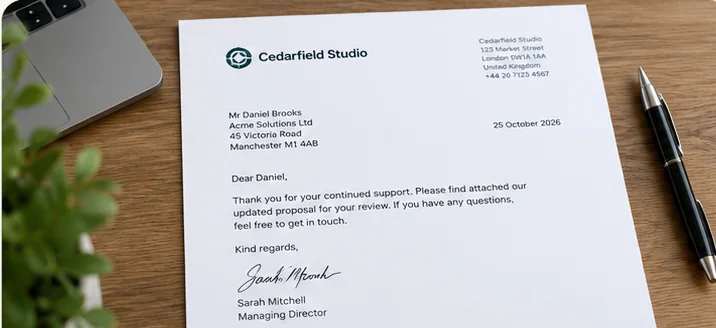
Extract the wording from Word business letters, including names, addresses, dates, greetings and paragraphs. Copy correspondence into your notes or records without retyping it. Check the recipient details, dates and signatures against the original; plain TXT does not retain letterhead or page formatting.
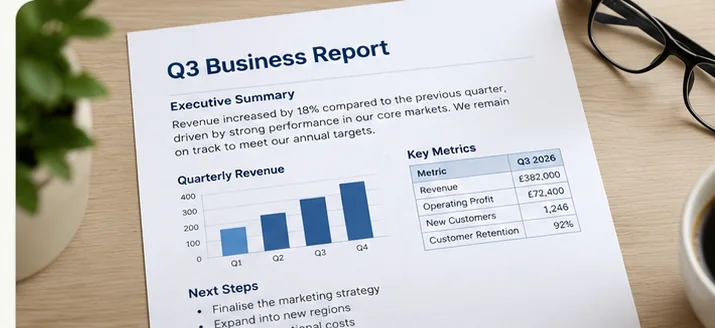
Copy headings, executive summaries, findings and recommendations from Word reports or proposals. Plain text is useful for research notes and drafting, but charts, illustrations and table layouts are not reproduced. Check figures, footnotes and reading order against the source document.
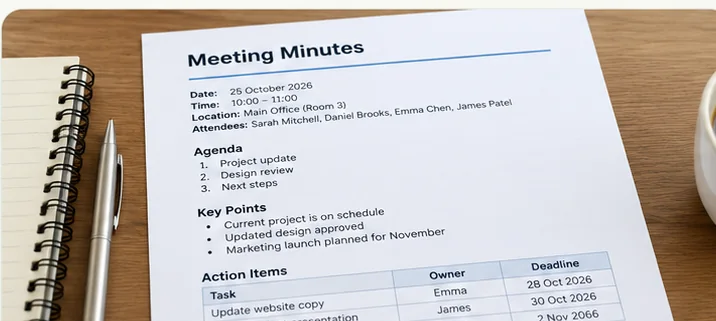
Extract agendas, attendee names, decisions, actions and deadlines from Word meeting minutes. Copy the text into a follow-up email or save it as a searchable TXT file. Check action owners, dates, bullet points and table order before sharing the result.
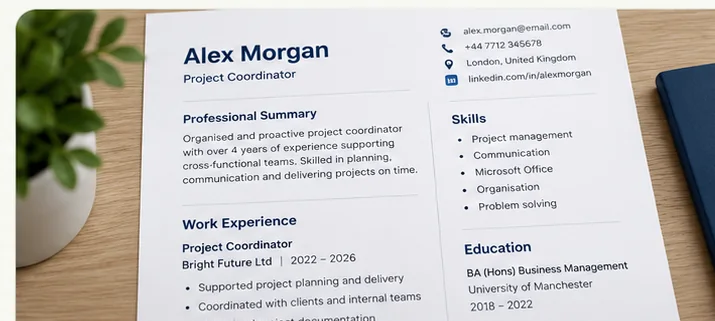
Extract work experience, education, skills and contact details from a DOCX CV or résumé for review and editing. Two-column designs may change the reading order in plain text, so verify job titles, employment dates, names and qualifications before reusing the content.
Older .doc files are not supported by this uploader. Open them in Word or a compatible editor and save as DOCX first.
Cells may become separated by tabs or line breaks; confirm labels still match their values.
Fonts, colours, page breaks, images and other visual styling are not preserved in TXT.
Files are processed on the service; read the Privacy Policy before uploading sensitive material.
Save your file as .docx using Word or a compatible editor before uploading.
Words embedded in screenshots or pictures inside DOCX may not extract like ordinary editable paragraphs. Check the original document.
Multi-column layouts and tables may read differently in TXT. Compare the output with the source before using it.
Some document elements may be omitted or reordered. Check page headers, footers, text boxes and comments against the original.
Yes. Text extraction, copying and TXT downloads are free. Optional designed PDF and editable Word downloads are separate paid products.
No. Save the document in DOCX format before uploading.
Supported DOCX files can be up to 20 MiB.
No. TXT preserves words rather than the original visual layout. Check tables and other complex elements carefully.
No. The service processes uploaded files on its servers. See the Privacy Policy.
Upload, review and download TXT free.
Available professional designs: 7. Fictional samples, not your document. Browsing does not start processing.
Thumbnails use sample content. Atlas is designed for CVs and résumés; Meridian is designed for reports and business documents; Correspond is designed for cover letters and business letters; Convene is designed for meeting documents. Preview your own content before purchase.