Upload a PDF
Choose a PDF above. Searchable PDFs can often be read directly; some scans need recognition.
YOUR DOCUMENT WORKSPACE
Extract text for freeUpload your document or image, then copy or download the extracted text.
Convert searchable PDFs and supported scanned PDFs into editable text for free. Review, copy or download TXT. DOCX and image uploads are also supported.
Upload a PDF to get editable text. You can also upload images and DOCX files.
or choose one from your device
PDF and DOCX: max 20 MiB · JPG, PNG, WebP: max 10 MBQuick security check to protect free processing.
Text extraction is free. No payment or temporary wallet hold is required.
Your file has been saved. We’ll extract its text so you can review it before copying or downloading.
Only use this if the extracted content needs another AI pass. Text extraction is free. Recognition still needs your review.
Please keep this page open. Larger documents can take a little longer.
Compare the extracted text with your original file, especially names, numbers, dates, handwriting and tables. Recognition may use OpenAI. Text output does not preserve the image layout. If you later choose an optional professional document design, review every preview page before purchasing.
Text extraction is free. Optional PDF + editable Word downloads cost USD $3.99. Existing historical credits and purchases remain valid; included design changes and repeat downloads keep their existing access period.
Tick the box above to unlock PDF + editable Word.
Includes PDF + editable Word
Paid downloads for these seven designs include the approved PDF and an editable Word (.docx) file in one ZIP. Word layout may vary between apps. For a PDF-only download, open My account.
Free text extraction · Copy or download TXT · No subscription
Documents are stored privately.
Fictional sample content.
Download our sample invoice PDF and compare it with the plain text extracted from the same file. The example is a fictional invoice created for this demonstration; its text was verified with a local PDF extraction utility, not with the live SimplyFileTools service.
NORTHLINE OFFICE SUPPLIES

INVOICE INV-1043
Issued: 12 October 2026
Customer: Example Studio Ltd


Description                    Quantity   Unit price   Amount


A4 paper                       5          GBP 4.99     GBP 24.95


Ink cartridges                 2          GBP 16.50    GBP 33.00


Ring binders                   10         GBP 2.25     GBP 22.50


Subtotal                                               GBP 80.45


VAT 20%                                                GBP 16.09


Total                                                  GBP 96.54


Payment terms: 14 days
Thank you for your business.
Demonstration uses a real, downloadable PDF with fictional business details. Extracted text was verified locally using pdftotext; it is not a claim of a tested SimplyFileTools conversion. Layout and spacing may differ from other extraction engines.
Download sample PDF Download verified TXT
Choose a PDF above. Searchable PDFs can often be read directly; some scans need recognition.
Review names, dates, figures, headings and reading order against the original PDF.
Copy the words or download a plain-text file free. Optional document designs are separate.
Not every PDF stores its words in the same way. Understanding the difference helps set expectations for extraction.
These contain a text layer. Text can often be extracted directly without AI recognition.
These contain images of pages. Supported scans may require AI recognition, with additional size and page limits.
Plain text may change the original reading order, spacing and table structure. Check the output carefully.
Password-protected, damaged or unsupported PDFs may not be readable. Use a permitted, accessible source file.
Use a digital PDF rather than a screenshot when available.
Keep scanned pages sharp, straight and high contrast.
Double-check totals, dates, IDs and unusual characters.
TXT saves the wording, not the original page layout.
PDF and DOCX files: up to 20 MiB. PDFs requiring recognition: up to 8 pages and 10 MB. Processing may use an AI provider; see the Privacy Policy before uploading sensitive material.
Different PDFs need different checks. These examples show useful workflows and the limitations of plain-text output.
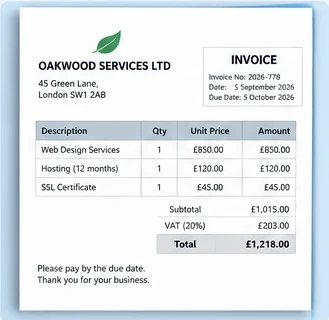
Copy supplier names, invoice references, line descriptions, dates and totals into your records. Check every amount and VAT figure against the PDF before using it for bookkeeping; TXT does not preserve the invoice table.
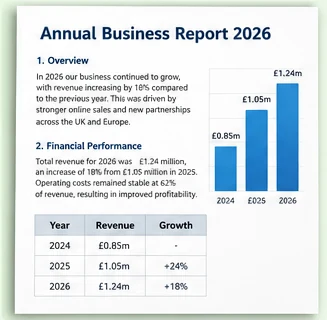
Extract paragraphs and headings for notes or quotations without retyping. For reports with charts, footnotes or two-column pages, verify reading order and remember that figures and diagrams are not reproduced in TXT.
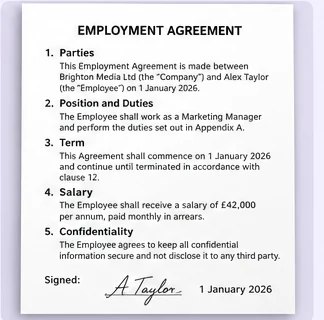
Copy clauses, dates and defined terms to help review a document. Compare each clause with the original, including numbering and punctuation. Do not rely on extracted text alone for legal interpretation or signatures.
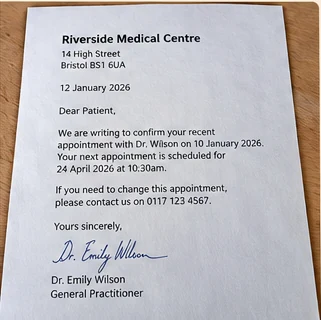
Use recognition on supported image-only PDFs to recover typed words from scanned correspondence. Straight, sharp scans work best. Handwriting, stamps, checkboxes and faded print can be missed or misread.
Try these checks before uploading again.
Encrypted PDFs may not be readable. If you are authorised, remove the password using your PDF application's export or security settings, then upload the accessible copy. Never share a password here.
If you cannot select words in a PDF viewer, the pages may be images. Recognition may be required and is limited to 8 pages / 10 MB. Rescan blurred or tilted pages at a readable resolution.
Text can come out in the wrong order because PDF files store positions, not always logical reading order. Compare the TXT with the original page and rearrange columns or rows manually when needed.
Check whether pages are cut off, contain embedded images, use unusual fonts or are damaged. Try an original digital PDF, a clearer scan or smaller supported sections, then check names, dates and numbers again.
Yes. Text extraction, copying and TXT downloads are free. Optional designed PDF and editable Word downloads cost extra.
Supported scanned PDFs may be processed with AI recognition. For PDFs needing recognition, the limit is 8 pages and 10 MB. Accuracy varies with scan quality.
PDF uploads are supported up to 20 MiB. PDFs that require recognition have a separate 10 MB and 8-page limit.
No. TXT is plain text. Tables, columns, images and page formatting may not be reproduced accurately.
No. Files are processed by SimplyFileTools and some recognition may use an AI provider. Review the Privacy Policy.
Upload, review and download TXT free. No subscription required.
Available professional designs: 7. Fictional samples, not your document. Browsing does not start processing.
Thumbnails use sample content. Atlas is designed for CVs and résumés; Meridian is designed for reports and business documents; Correspond is designed for cover letters and business letters; Convene is designed for meeting documents. Preview your own content before purchase.