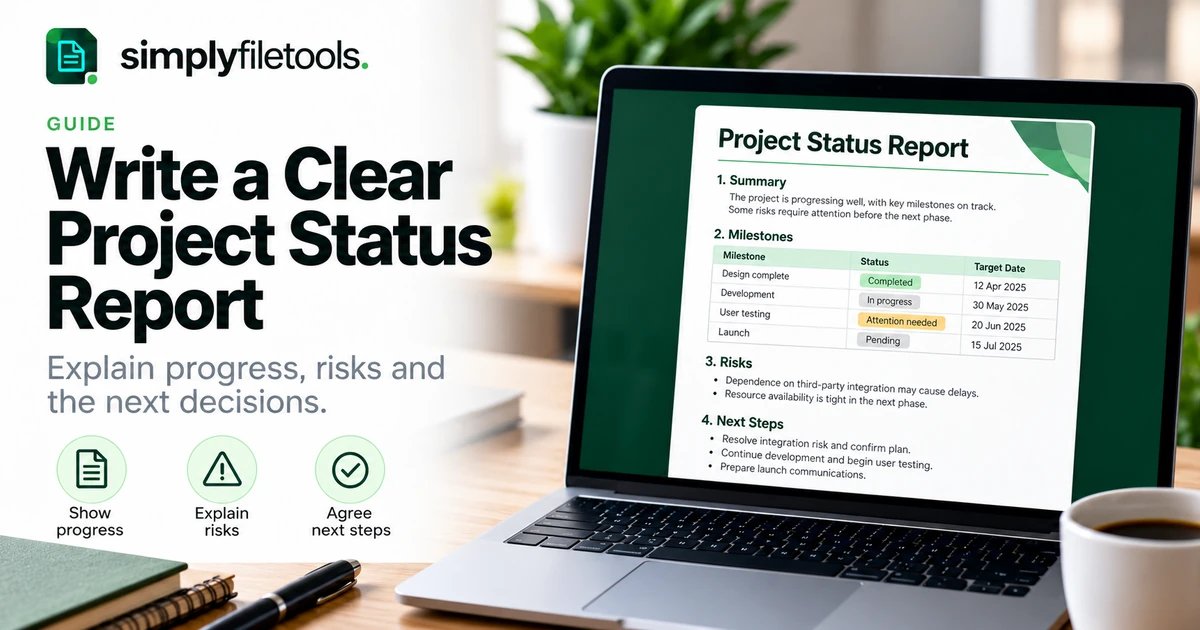
A clear project status report explains where the project stands, what changed during the reporting period and what needs attention next. Start with a short overall assessment, support it with milestone information and make risks, blockers and decision requests easy to find.
The report should help its audience act. It does not need to list every task or reproduce the full project plan. This guide provides a practical structure, a complete fictional example and a review checklist you can adapt for weekly updates, client reports or internal project reviews.
What is a project status report?
A project status report is a dated summary of progress against the current agreed plan. It brings together information about delivery, milestones, issues and next steps so stakeholders can understand the situation without reconstructing it from emails and meeting notes.
It differs from the project plan, which describes the intended work, and from meeting minutes, which record a particular discussion. A status report uses those sources to explain the current position.
For example, a team may have completed several tasks while a critical approval remains unresolved. A useful report identifies that dependency rather than presenting activity alone as proof that delivery is on schedule.
Choose the audience and reporting period
Decide who will use the report and what they need from it. A client may need delivery dates and decisions. A delivery team may need more detail about dependencies and ownership. A sponsor may need a concise explanation of exceptions and their consequences.
State both the reporting period and the date of the assessment. “Week ending 20 November 2026” identifies the period; “Status as at 20 November 2026” identifies the point in time. Use a consistent convention so readers can compare successive reports.
Follow any required organisational format first. Add detail where it changes a decision, not simply because the information is available.
A practical project status report structure
| Section | What it should answer | Useful content |
|---|---|---|
| Report details | Which project and period does this cover? | Project, owner, period, issue date and version |
| Overall summary | Where do things stand? | Status, evidence and main change |
| Completed work | What was delivered this period? | Specific outputs and completion evidence |
| Milestones | How does delivery compare with the plan? | Agreed dates, current forecasts and variance |
| Risks and issues | What could affect delivery or already has? | Impact, response, owner and follow-up |
| Decisions needed | What response is required? | Decision, decision-maker and requested date |
| Next period | What happens next? | Priorities, owners and dependencies |
Budget, scope and resource sections may also be relevant. Include them when they matter to the project and audience, using reliable figures and a clear basis of comparison.
Step 1: gather current information
Review the agreed plan, action tracker, recent deliverables and outstanding decisions. Ask the responsible people for updates where necessary. Do not rely on the previous report's wording without checking what has changed.
- Confirm the current scope and relevant milestone dates.
- Check which outputs were actually completed.
- Identify work in progress and its remaining dependencies.
- Review open risks, issues and action owners.
- Confirm any forecasts or decisions with the appropriate people.
If useful source material is in an existing DOCX, the Word to Text tool can help recover reusable wording. Review it against the source and check whether its dates and statements remain current. Extraction does not verify project progress.
Step 2: write the overall summary first
Use a few sentences to explain the current assessment, its reason and the main attention point. Readers should not need to infer the overall position from a long task list.
For example: “The page designs are complete, but launch readiness needs attention because the final product wording has not been approved. The team is continuing testing on completed pages. Confirmation is needed by 24 November to assess whether the planned launch date remains achievable.”
That summary separates completed work from an unresolved dependency. It does not turn a hoped-for date into a confirmed forecast.
Use status labels with an explanation
If your team uses green, amber and red, define what those labels mean. Another team may use different thresholds. Add a written label and explanation rather than relying on colour alone.
Use the organisation's agreed criteria. Where no scheme exists, plain wording such as “on plan”, “attention needed” or “delivery blocked” may be sufficient, provided you explain the evidence and avoid overstating certainty.
Step 3: report outputs rather than activity alone
“Worked on testing” describes activity. “Completed the agreed tests for the contact form; two defects remain open” tells the reader more about the outcome and remaining work.
List a few meaningful achievements from the period and identify anything carried over. Distinguish drafted, reviewed and approved deliverables. A draft sent for review is progress, but it is not necessarily a completed approval milestone.
Avoid unsupported completion percentages. If you use them, explain what is being measured and keep the method consistent. A percentage based on task count can hide the importance of the unfinished tasks.
Step 4: compare milestones with the agreed plan
Show the current forecast beside the agreed date when there is a difference. This helps readers see change rather than guessing whether a date has moved since the previous report.
Label dates clearly: baseline or agreed date, current forecast, and actual completion where relevant. If a forecast is not yet reliable, say it is awaiting confirmation and explain what information is missing.
Do not silently replace an original target with a later one and continue describing the project as unchanged. Record an approved change through the team's process and explain its effect.
Step 5: separate risks, issues and decisions
For this practical reporting structure, use a risk for an uncertain event that could affect delivery and an issue for a problem that already exists. Follow your organisation's terminology if it differs.
For each important item, explain the effect and the response. “Content risk” is vague. “Approval of the pricing wording may arrive after testing starts, which could require repeat checks” explains the uncertainty and consequence.
A decision request should identify the choice, the person or group needed to decide, the requested response date and what happens if it is delayed. Do not bury it in a general progress paragraph.
Worked example: a website refresh status report
The project and details below are fictional. They demonstrate a concise operational update rather than a prescribed reporting standard.
Project: Example Studio website refresh
Report owner: Jamie Taylor
Reporting period: 16–20 November 2026
Status as at: 20 November 2026
Overall status: Attention needed
Summary
The five page layouts are approved and testing has begun. The pricing wording remains unapproved, so the team cannot yet confirm that all launch checks will finish by the planned date. A client decision is requested by 24 November.
Completed this period
- Received approval for the five page layouts.
- Completed contact-form checks and recorded the results.
- Prepared the handover checklist for review.
Milestones
| Milestone | Agreed date | Current position |
|---|---|---|
| Layout approval | 18 November 2026 | Completed on 18 November |
| Pricing wording approval | 19 November 2026 | Outstanding; response requested by 24 November |
| Launch-readiness review | 27 November 2026 | Forecast awaiting confirmation after wording approval |
Issue and response
Issue: Pricing wording approval is overdue.
Impact: Pricing-page checks cannot be completed.
Owner: Alex Morgan to coordinate the response.
Response: Continue checks on approved pages and reassess the forecast after receiving the wording.
Decision needed
The client approver is asked to confirm the pricing wording or identify required changes by 24 November. If that timing is not workable, the team needs a revised response date to assess the delivery impact.
Next period
- Alex to obtain the client's response on pricing wording.
- Sam to continue testing approved pages and report open defects.
- Jamie to update the readiness forecast once the outstanding dependency is resolved.
The report makes the missing approval visible without describing all delivery as complete or assuming the client has accepted a new deadline.
Step 6: make the next actions easy to follow
Give each follow-up a specific output and an accepted owner. Use an agreed date where available; label it as requested or unconfirmed when it has not been agreed.
For a detailed workflow, see how to turn meeting notes into action items. Keep the report and tracker consistent so that readers do not find conflicting dates or owners in different places.
Link supporting detail where needed, but keep the key request visible in the report itself. A stakeholder should not have to open several files just to discover that their approval is needed.
Step 7: format and review the final report
Use descriptive headings, short paragraphs and readable tables. Keep status descriptions close to the relevant milestones. Use consistent date formats and add units or currency labels to figures where necessary.
Our guide to formatting a professional report explains layout and heading principles. If reused text brings unwanted styling, see copying Word text without formatting.
- Check the project name, reporting period and version.
- Confirm that summary claims match the detailed sections.
- Verify dates, owners, figures and completion statements.
- Identify unanswered questions and label uncertain forecasts.
- Open the sharing version and inspect tables and page breaks.
- Distribute it through the agreed channel and retain the source.
Common project status report problems
The update is a long task list
Group the detail around outcomes, milestones and exceptions. Keep the full tracker separate and make the important changes visible in the report.
The status is green but the text describes delays
Check the agreed status criteria and explain the assessment. Revise the label if it does not reflect the evidence, or clarify why the delay does not affect the relevant commitment.
The same wording appears every week
Recheck the facts. State what changed, what remains unresolved and whether an owner or response is needed. Do not carry forward a forecast indefinitely without review.
Dates and percentages look precise but lack support
Explain their basis or mark them as estimates. Prefer a candid statement of uncertainty to an unsupported number.
The report hides a decision request
Create a clearly labelled section stating the decision, decision-maker, requested date and consequence of delay.
Frequently asked questions
How long should a status report be?
Long enough to explain the position and required actions. A short project may suit one page; complex work may need supporting detail.
How often should I send it?
Agree a reporting rhythm suited to the project and audience. Escalate time-sensitive issues through the agreed process rather than waiting for the next routine report.
Does every report need a traffic-light status?
No. Use the organisation's required scheme or clear written status descriptions supported by evidence.
Should I include every risk?
Highlight risks relevant to the audience and current decisions. Keep the detailed risk record available separately where appropriate.
Can I reuse last week's report?
Yes, as a structure. Revalidate every statement, date and forecast, and make the current reporting period obvious.
Can a template verify the status for me?
No. A template helps present the information. The project team must confirm progress, evidence and the meaning of the assessment.
Make the current position clear
Lead with an evidence-based summary, compare milestones with the plan and separate completed work from unresolved dependencies. Keep decisions and next actions specific, then review the report before sharing.
Explore SimplyFileTools document templates for a starting layout, or use the free text extraction tools when gathering wording from existing files. Review the recovered text and confirm the project facts before using it.
Ready to try it?
Turn your notes into a professional document with a ready-made design.
Explore templates →