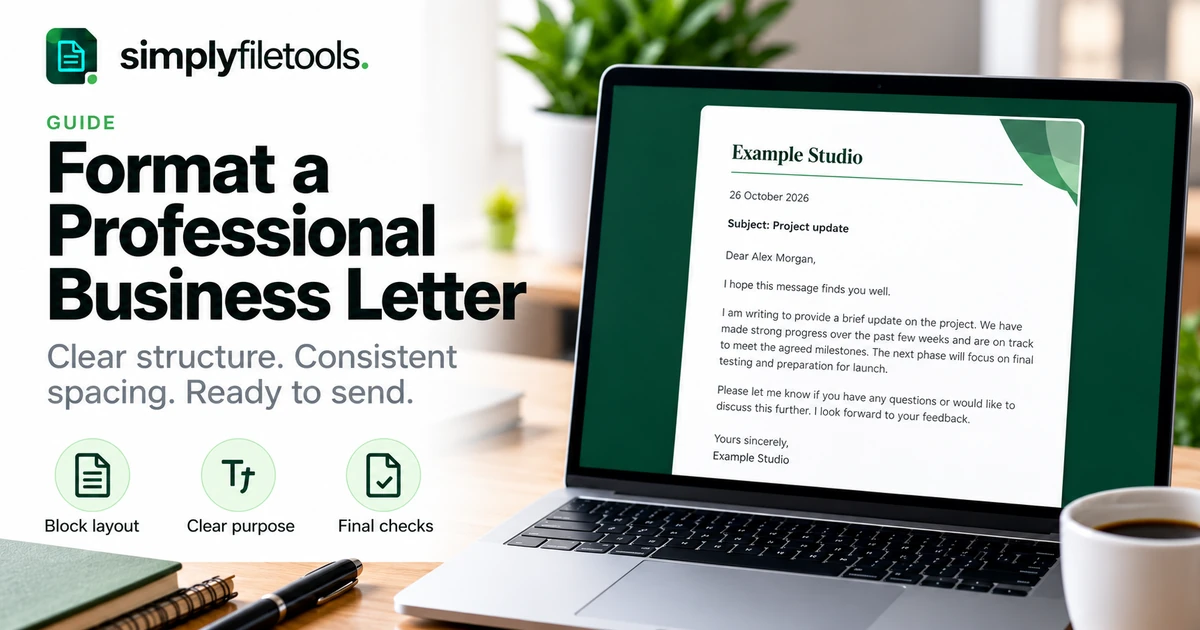
To format a professional business letter, use a clear opening block, a written-out date, the recipient's details, an appropriate greeting and short body paragraphs, followed by a closing and your name. A simple left-aligned block layout is a practical starting point for most routine correspondence.
The design should help the recipient understand why you are writing and what happens next. This guide explains a flexible letter structure, sensible spacing and typography, a complete fictional example and checks for print, PDF and editable copies. Follow any required organisational template or recipient instructions first.
Choose the right type of business correspondence
A business letter is useful when you need a self-contained document that can be printed, attached or retained as a record. An email may be enough for a short operational message, while a proposal or report needs a different structure.
Decide what the recipient must understand or do. A project update, an enquiry and a response to a customer need different wording, even if they share the same basic layout.
Keep the format proportionate. A routine one-page update rarely needs a cover page, a contents list or decorative panels. Clarity, accurate details and an obvious next step matter more.
What should a business letter include?
| Element | What to include | What to check |
|---|---|---|
| Sender details | Your name or organisation and appropriate contact information | Use current details and avoid repeating the letterhead |
| Date | The date of the letter | Write the month in words to reduce ambiguity |
| Recipient details | Name, role, organisation and address where relevant | Correct spelling and intended recipient |
| Greeting | A respectful salutation | Appropriate name or role and tone |
| Subject | A brief description, if useful | Specific enough to identify the matter |
| Body | Purpose, essential context and next step | Accurate facts and a clear request or conclusion |
| Closing | Suitable sign-off, name and role | Consistency with your chosen convention |
| Attachments | A short reference to enclosed or attached material | Files are actually included |
Not every letter needs every field. A letter sent as an attachment may still need recipient identification, but a full postal address may be unnecessary for its purpose. Use your organisation's requirements and the intended delivery method.
Step 1: use a straightforward block layout
In a full block layout, the main elements and paragraphs align to the left. Separate the sender block, date, recipient block, greeting, body and closing with consistent space. Leave paragraphs unindented.
This is a useful default rather than the only professional layout. A supplied letterhead may place the logo and contact details differently. Work with its established design instead of forcing those elements into a new arrangement.
- Set the page size for the recipient or existing template.
- Choose consistent margins that leave the page comfortable to read.
- Add the sender and recipient information.
- Place the date and greeting in a clear sequence.
- Write the body in short paragraphs.
- Finish with the closing, name and any attachment note.
Around 2–2.5 cm margins can be a starting point for a simple page. Adjust them for letterhead, window envelopes or an established template rather than treating that range as a fixed rule.
Step 2: choose readable type and spacing
Use a clear body font at a comfortable size, often around 11–12 points. One typeface is usually enough. Avoid switching fonts between the address, body and closing unless a template has a deliberate reason.
Use paragraph-spacing settings rather than repeated blank lines to control the page. Start with comfortable line spacing and a consistent gap between paragraphs, then inspect the result at normal reading size.
Do not shrink the text just to fit an arbitrary page count. If the letter needs a second page, keep the structure readable and check the page break. For broader spacing and hierarchy principles, see how to format a professional report.
Step 3: make names, dates and references unambiguous
Check the recipient's name against the source you were given. If you do not know their preferred title, use an appropriate name or role without making assumptions.
A written date such as “26 October 2026” is easier to interpret across regions than a short numeric date. If the letter refers to a deadline, include enough detail to make that deadline clear, including a time zone when necessary.
Use a concise subject or reference where it helps identify the matter. “Project update: website refresh” is more informative than “Important information”. Keep internal reference numbers exact, including letters, leading zeros and punctuation.
Step 4: write the body around purpose and action
The first paragraph should explain why you are writing. The middle paragraphs should supply the relevant detail. The final paragraph should make the next step clear, whether that is a request, an invitation to respond or confirmation that no action is needed.
For example, a progress letter can state what has been completed, what remains outstanding and what information is needed from the recipient. Keep those points in a logical order.
Use neutral, specific wording. Replace “We urgently need everything” with the actual items and an agreed or requested date. Distinguish a proposed deadline from a commitment the recipient has already accepted.
Bullets can help with several parallel requests, but do not turn every sentence into a list. Keep the letter readable as connected correspondence.
Step 5: choose a suitable greeting and closing
Use the recipient's preferred name and your organisation's style where known. “Dear Alex Morgan” is a straightforward named greeting; a role-based greeting may work when no named contact is available.
For traditional UK formal correspondence, “Yours sincerely” commonly follows a named greeting, while “Yours faithfully” commonly follows “Dear Sir or Madam”. These are conventions, not universal requirements. A closing such as “Kind regards” may suit an established working relationship.
Be consistent with the audience and region. Do not guess gender or marital status to create a formal greeting. Review punctuation according to your chosen house style.
Leave appropriate space for a signature if the letter will be signed, then add the typed name and role. A typed closing alone should not be assumed to meet a specific signature or approval requirement.
Complete example of a business letter
The details below are fictional. The example uses a simple block structure for a routine project update, not a legal notice or contractual template.
Example Studio
Project Services Team
[email protected]
26 October 2026
Alex Morgan
Project Coordinator
Example Client Organisation
Dear Alex Morgan,
Project update: website refresh
I am writing to confirm that the first draft of the five-page website layout is ready for your review.
The draft includes the agreed page structure and the wording supplied at the start of the project. The pricing page still uses a marked placeholder because the final figures have not yet been confirmed.
Please send one consolidated feedback response and the confirmed pricing wording by 2 November 2026, if that timing is workable. If you need more time, please let me know so we can discuss the next review date.
The draft PDF is attached. Please refer to the page title when commenting so we can identify each requested change clearly.
Thank you for your help. I look forward to your feedback.
Yours sincerely,
Jamie Taylor
Project Lead
Example Studio
Attachment: Website refresh draft, version 1
This example states the purpose immediately, identifies the unresolved item and makes the requested response specific. Its date is clearly a request rather than an invented agreement.
Step 6: adapt a template without carrying over old details
A reusable template can save time when you send similar correspondence. Keep the blank master separate from completed letters and use clear placeholders for names, dates and references.
When adapting an old letter, check more than the main paragraphs. Old contact details can remain in headers, footers, filenames or attachment notes. Review every section before sharing.
If copied wording brings unwanted fonts or spacing, use the destination's text-only paste option and apply the current document style. Our guide to copying Word text without formatting explains the process and its limitations.
If you need wording from a supported DOCX, the Word to Text tool provides free text review, copying and TXT download. Check the recovered text against its source and adapt it to the current letter rather than treating it as approved wording.
Step 7: check the version you will send
Choose the delivery format according to the recipient's needs. PDF can provide a reference layout; an editable file may be appropriate for collaborative review. See our PDF, DOCX and TXT comparison if you are deciding which version to provide.
- Read the letter for purpose, accuracy and tone.
- Check names, dates, references and contact information.
- Remove unresolved placeholders or clearly explain any intentional ones.
- Review comments and tracked changes before distribution.
- Export the intended format and open it separately.
- Check the page break, closing, signature space and attachments.
When printing, preview the complete page before using headed paper. When attaching a file to an email, verify that the correct version is actually attached.
Common business letter formatting problems
The closing moves onto its own page
Look for extra paragraph breaks or excessive spacing first. Adjust the layout modestly or edit repetition. Avoid making the whole letter difficult to read merely to pull the closing back.
The address block shifts when edited
Avoid aligning text with long runs of spaces. Use paragraph settings or the structure provided by a well-designed template. Check the result after changing names or addresses.
The letter feels crowded
Shorten repetitive wording, separate the main ideas and use consistent paragraph spacing. A professional letter does not need to fill every part of the page.
The exported file looks different
Inspect the exported copy for missing fonts, clipped lines and changed pagination. Keep the editable source and correct the layout there before exporting again.
Old details remain in a reused letter
Search for the previous recipient, organisation, project name and date. Then read the full letter: search alone may miss an outdated assumption or attachment reference.
Frequently asked questions
Should a business letter be one page?
One page is convenient for many routine letters, but completeness and readability matter more. Use a second page when the content needs it.
Do I need a postal address for an emailed attachment?
Use the identification and contact details appropriate to the purpose and any organisational requirements. Not every attachment needs a full postal address.
Should I indent business-letter paragraphs?
In full block layout, paragraphs are left-aligned without first-line indentation. Use one consistent approach or follow the required template.
Can I use bullets in a formal letter?
Yes, when they make several requests or items easier to read. Keep the introduction, context and closing coherent.
Should I send PDF or DOCX?
Follow the recipient's requirements. Use a checked PDF for a reference layout or an editable format when the recipient needs to make changes.
Can a template replace the final review?
No. A template helps with structure, but you must still check the wording, details, page layout and attachments.
Make the letter easy to understand and act on
Use a clear block layout, consistent typography and short paragraphs. State the purpose early, make the requested next step specific and inspect the final file before sending.
Explore SimplyFileTools document templates for a starting layout, or use the free text extraction tools when you need reviewed wording from existing files.
Ready to try it?
Preview professional document designs before choosing an optional download.
Explore templates →