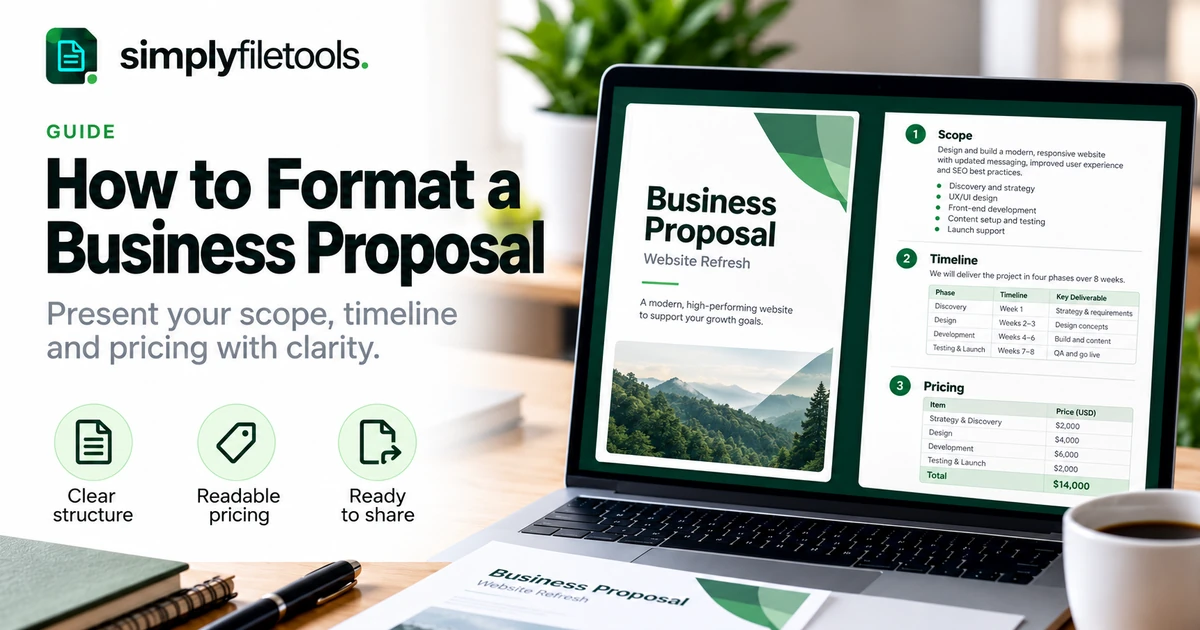
To format a business proposal, arrange the document around the client's decision: what you propose, what is included, how long it will take and what it will cost. Use descriptive headings, short paragraphs, consistent typography and clearly labelled tables. A reader should be able to find the scope, price and next step without searching through the whole document.
This guide explains a practical proposal structure, sensible layout choices and a worked example you can adapt. It focuses on presentation and clarity rather than sales promises or legal drafting. If a client provides a required format, response template or submission instructions, follow those first.
Start with the proposal's purpose and audience
Before choosing colours or a cover design, identify who will read the proposal and what they need to decide. A small project may need a concise document with a scope and fee. A more complex engagement may need assumptions, milestones, responsibilities and supporting detail.
Write down the client's problem, your proposed outcome and the information needed to assess it. This becomes your outline. Avoid adding sections simply to make the proposal look substantial.
For example, a proposal to refresh a small website should make the included pages, review rounds, content responsibilities and delivery stages easy to locate. A polished cover will not compensate for an unclear scope.
A practical business proposal structure
Use the following order as a starting point. Combine sections for a short proposal and separate them when the information warrants more detail.
| Section | Purpose | What to include |
|---|---|---|
| Title and document details | Identify the proposal | Project, client, prepared by, date and version |
| Summary | Explain the recommendation quickly | Need, proposed approach and intended outcome |
| Understanding of the brief | Confirm the starting point | Relevant objectives, constraints and requirements |
| Scope and deliverables | Show what is included | Specific outputs, quantities and exclusions |
| Approach and timeline | Explain delivery | Stages, milestones, dependencies and review points |
| Pricing | Make the financial proposal clear | Fees, currency, pricing basis and relevant assumptions |
| Responsibilities and conditions | Clarify what the proposal relies on | Inputs, approvals and matters needing agreement |
| Next step | Help the reader respond | Contact, questions and the proposed approval process |
Place lengthy supporting material in an appendix when it interrupts the main decision. Keep essential limitations and conditions beside the information they qualify rather than hiding them at the end.
Step 1: create a clear title page or opening block
Use a descriptive title such as “Website Refresh Proposal” rather than “A Better Future Together”. Add the client's name, your business name, preparation date and a version reference where useful.
A separate cover is optional. For a short proposal, an opening block on the first page may be more efficient. For a longer proposal, a restrained cover can establish identity without taking space away from the substance.
Keep contact details readable and accurate. Check the client name carefully, especially when adapting an earlier document. Remove placeholder text before sharing.
Step 2: use consistent headings and paragraph styles
Create a small hierarchy: a document title, main section headings and subheadings where needed. Use your editor's heading styles rather than manually enlarging each heading. Consistent styles make the document easier to navigate and update.
A practical starting point is body text around 11–12 points, comfortably larger section headings and one main typeface. These are design suggestions, not mandatory rules. Check the result at the size and on the device your client is likely to use.
- Use the same style for headings at the same level.
- Keep paragraphs focused on one idea.
- Use bullets for parallel deliverables or requirements.
- Use numbered lists when sequence matters.
- Keep headings with the paragraph or table they introduce.
Our guide to formatting a professional report explains related principles for heading hierarchy, spacing and document consistency.
Step 3: make the summary useful on its own
The opening summary should explain what the client is being asked to consider. State the need, the proposed work and the intended benefit in plain language. Include the proposed fee or a clear reference to the pricing section when that helps the reader.
For example: “We propose refreshing five website pages to clarify the service offering and enquiry process. The work includes content layout, page design and two review rounds. Delivery is planned over four weeks after the required content is received.”
Keep claims proportionate to the work. Do not promise a guaranteed commercial result when your deliverables do not establish one. If a key assumption affects the recommendation, mention it clearly.
Step 4: format scope as specific deliverables
Scope is easier to assess when each item describes an output. Replace “improve the website” with a defined list of pages, assets or activities. Add quantities and boundaries where they matter.
Use a table if several deliverables need the same fields, such as description, quantity and client input. Use short paragraphs or bullets if a table would merely squeeze a long explanation into narrow cells.
Separate included work, optional additions and exclusions. For instance, a design proposal might include page layouts while excluding photography and ongoing hosting. Put these boundaries near the deliverables so readers understand what the fee covers.
When reusing wording from an old DOCX, the Word to Text tool can help recover plain wording. Review it carefully and replace old names, figures and assumptions. Our DOCX to plain text guide explains what formatting and content need checking.
Step 5: present the timeline with dependencies
Show the main delivery stages and the events that allow each stage to begin. A timeline without dependencies can imply a fixed completion date even when the client still needs to provide material.
For a straightforward project, a compact stage table may be enough:
| Stage | Planned timing | Dependency |
|---|---|---|
| Brief and content review | Week 1 | Receipt of agreed source material |
| Initial design | Week 2 | Confirmed brief and page list |
| Review and revisions | Week 3 | Consolidated client feedback |
| Final checks and handover | Week 4 | Approval of the revised work |
Label the timing as proposed or indicative when it has not been confirmed. Explain how review delays or changed requirements will be discussed rather than silently assuming they have no effect.
Step 6: make pricing easy to compare
Keep prices beside clear descriptions. State the currency, whether a fee is fixed or estimated and any relevant basis for calculation. Show optional items separately so the reader can distinguish them from the proposed total.
A pricing table should not require mental reconstruction. If the total includes several items, make those items and their relationship to the total visible. State how any applicable tax is treated using wording appropriate to your business and the transaction.
Check all arithmetic and avoid mixing a monthly amount with an annual total without a clear label. If the proposal has a validity period or proposed payment stages, make those details easy to find and ensure they match the rest of the document.
Worked example: formatting a website proposal
The figures below are fictional and illustrate presentation only. They are not SimplyFileTools prices or a recommendation for what to charge.
Project: Five-page website refresh
Client: Example Studio
Prepared by: Example Design Team
Status: Proposal for discussion
| Included work | Deliverable | Proposed fee |
|---|---|---|
| Brief and page planning | Confirmed five-page outline | GBP 300 |
| Page design | Five page layouts using supplied content | GBP 900 |
| Review and handover | Two review rounds and final design files | GBP 300 |
| Total proposed fee | All included work above | GBP 1,500 |
In the actual proposal, add the applicable tax treatment and agreed payment basis. This example does not determine either.
Client inputs: Approved wording, logo files and one consolidated feedback response per review round.
Excluded: Photography, website hosting and work beyond the agreed five-page scope.
Timing: Four planned weeks after receipt of the required material.
Next step: Review the scope and raise questions before confirming the engagement through the agreed process.
The layout makes the fee, boundaries and dependencies visible together. It also avoids implying that an attractive table alone settles every commercial detail.
Step 7: check page layout and the final export
Use consistent margins and enough space between sections. Avoid shrinking text to force everything onto one page. A short additional page is usually easier to read than a crowded page with tiny type.
For multipage tables, repeat header rows where your editor supports it and check that rows do not split awkwardly. Keep totals and qualifying notes close to their tables. Add page numbers to longer documents and use a contents page only when it helps navigation.
- Review the editable document from beginning to end.
- Export the intended sharing version, such as PDF, if appropriate.
- Open the exported file separately.
- Check every page for clipped text, blank gaps, missing images and broken tables.
- Test links and confirm the filename identifies the project and version.
Keep the editable source for agreed revisions. Follow the recipient's requested format, and make clear which file is the current version.
Common proposal formatting problems
The document looks polished but the scope is vague
Replace broad promises with specific outputs, quantities and boundaries. Review the proposal as if you were the client trying to compare it with another offer.
The pricing table is too wide
Remove unnecessary columns, shorten labels and move detailed explanations into nearby paragraphs. Do not solve the problem solely by making the font smaller.
The proposal changes appearance in another application
Check fonts, images and table widths in the receiving application or request a reference PDF. Inspect the final sharing copy rather than assuming the editable file will render identically everywhere.
Old client details remain in the document
Search for the previous client's name, project title, dates and amounts. Check headers, footers and filenames as well as the main text. Review comments and revision marks before distribution.
Frequently asked questions
How long should a business proposal be?
Long enough to explain the recommendation, scope, price and next step clearly. Let the complexity and the client's instructions determine length rather than aiming for an arbitrary page count.
Does every proposal need a cover page?
No. An opening title block can work well for a short proposal. Use a separate cover when it improves identification and presentation without adding unnecessary bulk.
Should I use a table for pricing?
Use one when there are several comparable items or options. A single clearly labelled fee may only need a short paragraph with its scope and assumptions.
Should I send PDF or Word?
Follow the client's requirements. PDF is useful for a stable reference layout; an editable document may be needed for review. Check whichever version you send.
Can I reuse an earlier proposal?
Yes, as a starting structure. Replace client-specific details and reassess every deliverable, fee, dependency and exclusion. Old wording should not define a new engagement by accident.
Can a template write the proposal for me?
A template can provide a layout, but you still need accurate project information and reviewed wording. Preview your own content and check every page before sharing.
Build a proposal the client can assess easily
Put the decision-making information first, define the deliverables and keep pricing and assumptions visible. Use consistent headings, readable tables and a careful final-page check to support the substance of the proposal.
Explore SimplyFileTools document templates for a starting layout. If you need wording from existing source files, visit the free text extraction tools, review the recovered text and adapt it to the current project.
Ready to try it?
Preview professional document designs before choosing an optional download.
Explore templates →